

A gaming diagnostics tool, not an overlay or an FPS counter. It watches your hardware, tracks your frame timing, and replaces "probably a CPU bottleneck?" guesswork with data from your actual rig running your actual games.
PATREON MEMBERS • NO PUBLIC DOWNLOAD YET • WINDOWS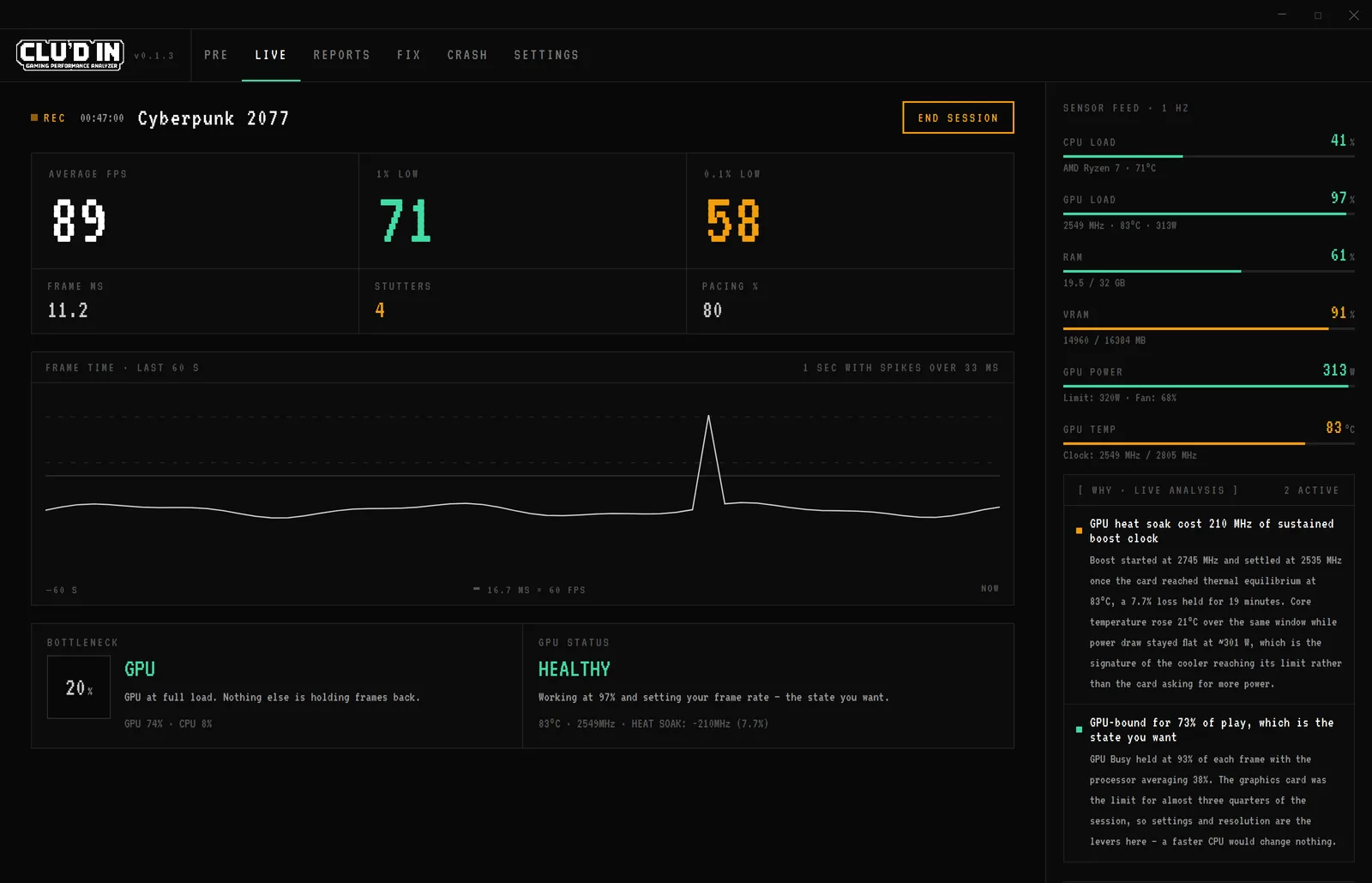
Screens on this page are the real alpha interface rendering one representative session with staged data.
What's in the alpha
Readiness board
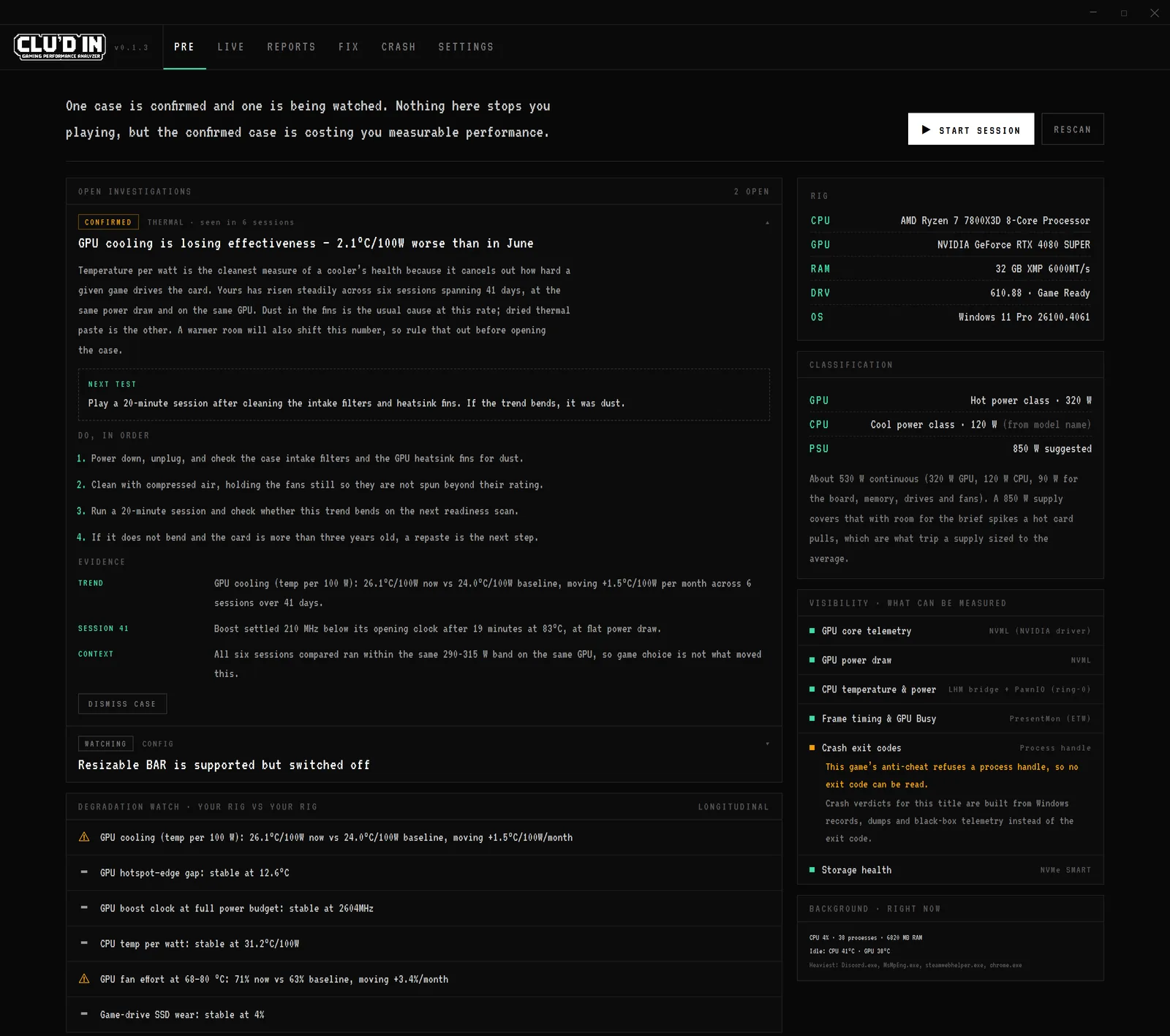
One verdict line before you launch, then the detail: open investigations, config settings that cost frames (XMP off, single-channel RAM, games on a hard drive), anything drifting the wrong way across sessions, and a visibility panel listing what this machine can and cannot measure.
Live session monitoring
Starts automatically when it detects a game. Tracks FPS, frame times, 1% and 0.1% lows, stutter, GPU thermals and bottlenecks as you play.
Bottleneck detection
The core of it: 13+ bottleneck types across CPU, GPU, VRAM, RAM and thermals, with the specific cause and severity. Thermal throttling and single-thread saturation are different problems with different fixes.
Post-session report
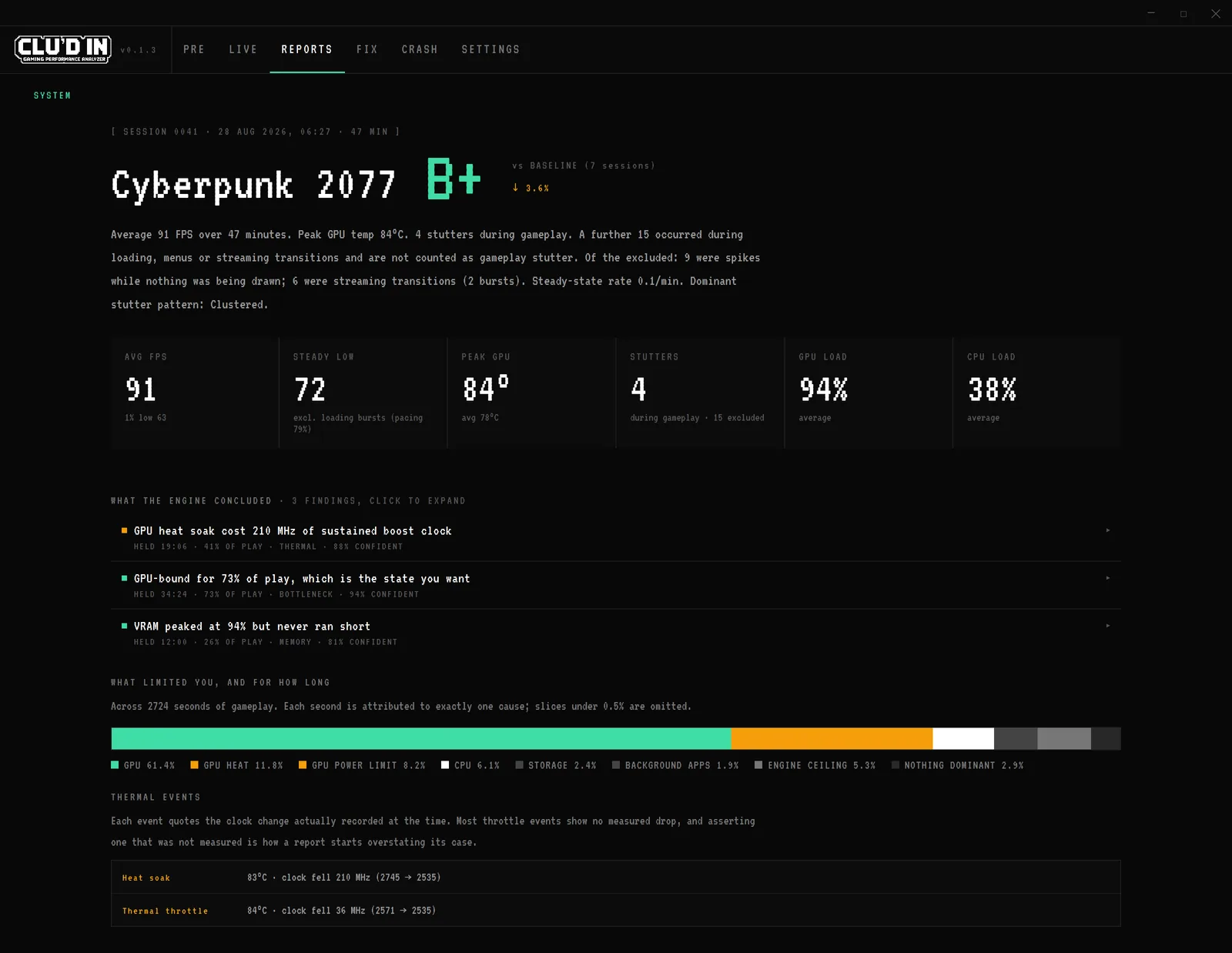
Performance grade, stutter analysis, thermal trends, and a summary of what happened and why. Sessions accumulate so patterns missed in one session show up over time.
Fix queue
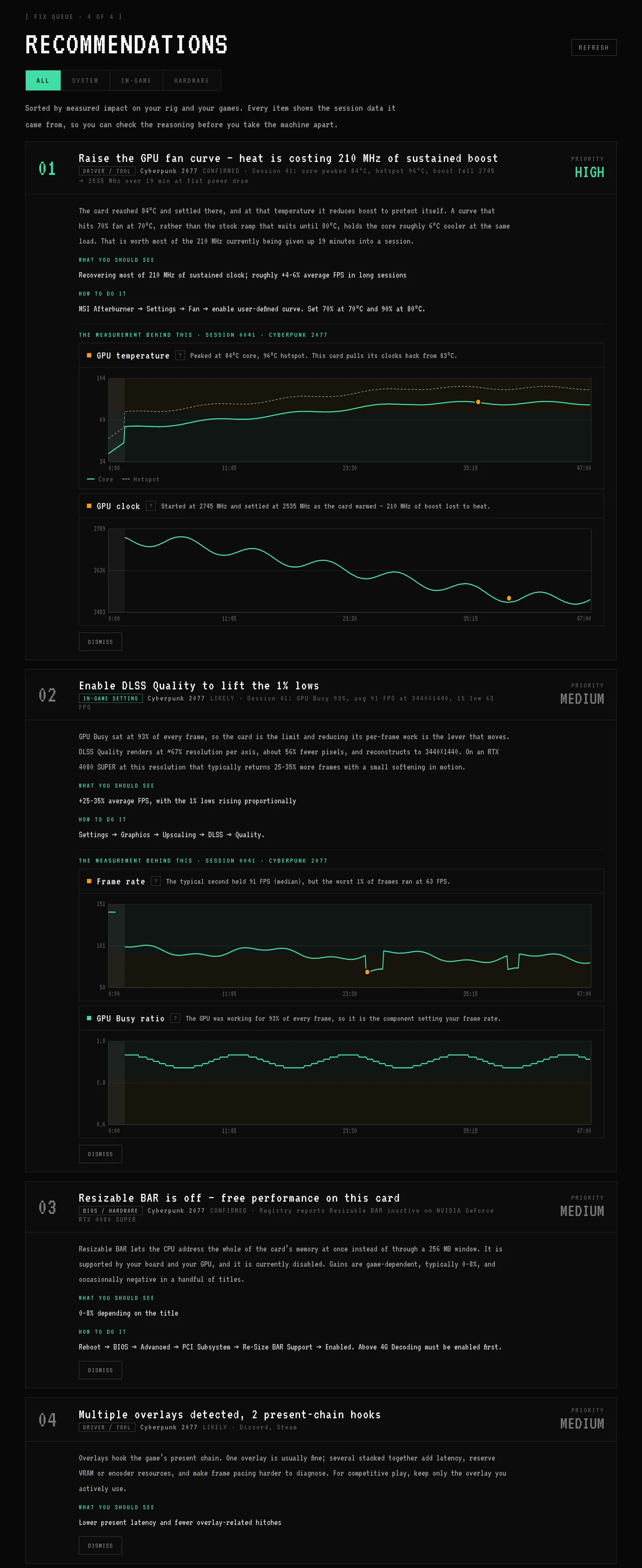
Evidence-based recommendations sorted by measured impact on your hardware. The advice is tied to data from your session instead of the generic "update your drivers" line.
Crash verdicts
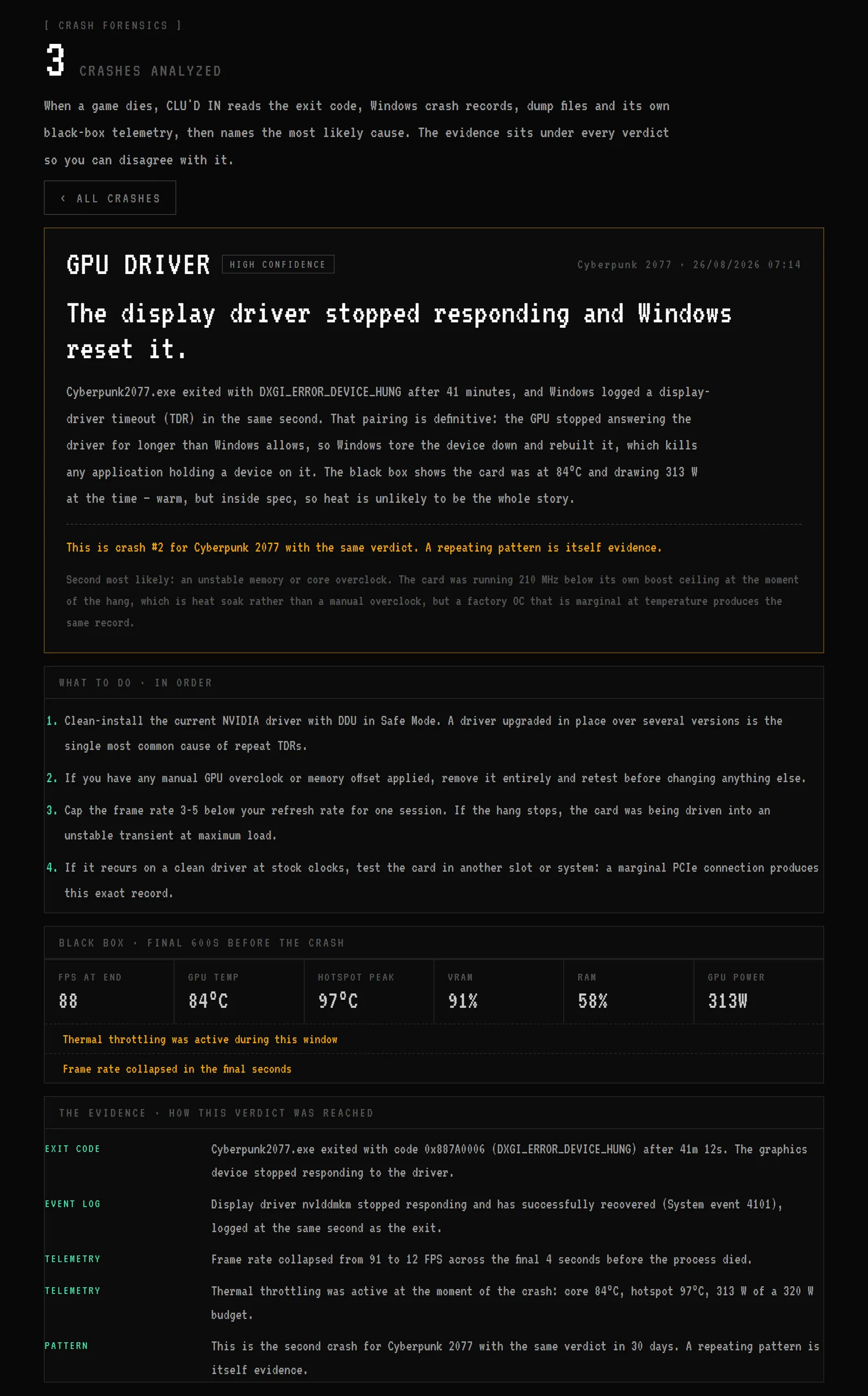
A rolling black box keeps the last 10 minutes of telemetry. When a game dies, CLU'D IN reads it alongside what Windows recorded (exit codes, crash dumps, driver resets, WHEA errors) and writes a verdict with its evidence chain shown. Thin evidence gets a stated confidence level instead of a confident guess.
It doesn't need to run constantly. You choose to track sessions as you play. The alpha has some placeholder areas for features that aren't switched on yet.
Before you launch
The readiness board opens with a verdict and backs it up underneath. An investigation is a case file: evidence accumulates across sessions, and a NEXT TEST line names the cheapest experiment that would settle it. In the scenario pictured, six sessions of temperature-per-watt readings point at GPU cooling losing ground, and the suggested test is cleaning the dust filters before blaming thermal paste.
The report at the end
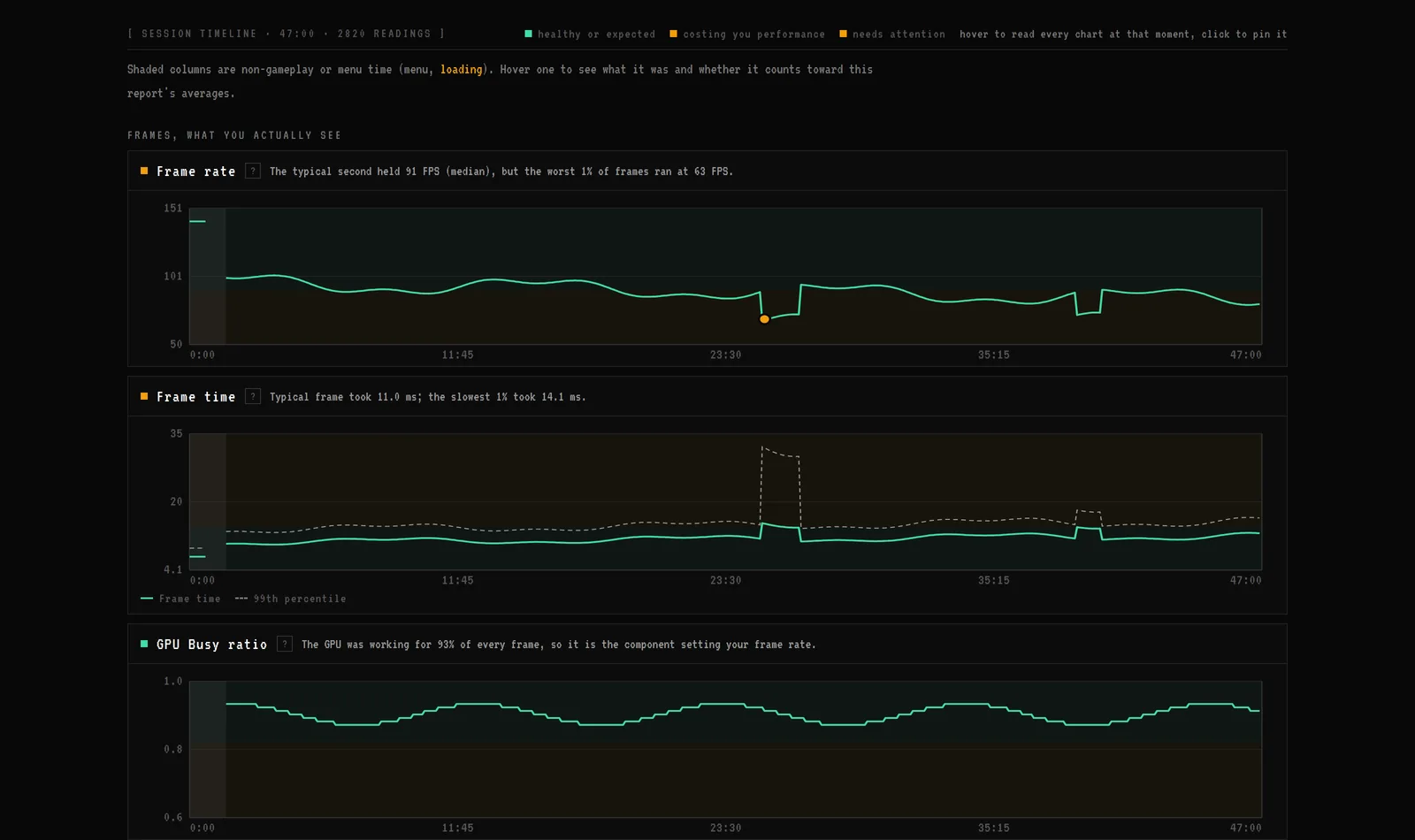
Stop playing and the session gets a grade and a plain-language summary. A breakdown shows which component limited you and for what share of the session. Findings carry confidence levels. A GPU that heat-soaked and shed 210 MHz of sustained boost is the kind of thing that surfaces here. The timeline charts shade the loading screens and keep them out of the statistics, so a shader-compile hitch on a loading screen never pollutes your stutter count.
Recommendations tied to your data
Every fix in the queue points to something CLU'D IN measured in your session, and the measurement is charted directly under the recommendation. If a suggestion doesn't apply to your setup, dismiss it and it stays dismissed.
When a game just dies
The crash screen pairs the black-box telemetry from the final minutes with the records Windows keeps, and writes a verdict: the likely cause with its evidence chain, then next steps in the order worth trying them. Anti-cheat drivers block some of this access; when that happens the verdict names which vendor blocked what, and leans on the records that remain.
> This is the first time CLU'D IN runs on hardware other than my test rigs. The diagnostics engine, the thresholds and the bottleneck detection were all built and tuned there. I need to know how it behaves on other CPUs and GPUs, in other games.
> If something breaks, if a reading looks wrong, if a recommendation doesn't make sense, that's exactly the feedback I need. And if it genuinely helps you find something, I'd love to hear that too.
> Alpha access: included with the Patreon membership. Feedback happens in the members' Discord channels.
Meanwhile, the shipping tools are free:
Investigate your gaming issue
Start with the symptom: frame-time stutters, game crashes, or a possible CPU or GPU bottleneck. These guides explain what to check before changing hardware or settings.