
An FPS counter averages, and a stutter is a single frame. At 60 FPS a frame should take about 16.7 ms; if one takes 120 ms you clearly feel it, but that second still averages out to an FPS reading in the fifties. Get a frame-time graph on screen instead (RivaTuner shows one, so does PresentMon). Every stutter is a visible spike there, and the shape of the spikes usually narrows the cause to one or two suspects before you touch a setting.
> Spikes in new areas: shader compilation_
Big, isolated hitches the first time you see a new effect, weapon or area, most notorious in Unreal Engine DX12 titles. The game is compiling shaders for your exact GPU and driver on the spot. It clears up as the cache fills, and it comes back after every GPU driver update because the update empties the cache. If a game offers a shader pre-compilation step on first launch, let it finish, even when it takes ten minutes. A faster CPU shortens the pauses but doesn't remove them; there's no setting for this one.
> Hitching when you turn the camera: VRAM or streaming_
If frame times are clean while you walk forward and spike when you swing the view or fast-travel, the game is moving assets it could not keep resident. Two different culprits produce it. VRAM within a few hundred MB of full means textures are spilling to system RAM; dropping texture quality one notch is usually the entire fix. If VRAM has headroom but the game lives on a mechanical hard drive, the drive can't stream assets fast enough; move the install to an SSD. Several recent open-world titles list an SSD as a minimum requirement now, and they mean it.
> Fine at first, worse after 20 minutes: heat_
Heat soak. The case warms up over the first 20 minutes or so, the GPU reaches its thermal target and starts shaving clocks. Because the drop is gradual, it doesn't register as an event; the game just feels heavier than it did at the start. Watch GPU clock next to temperature across a whole session. A card that boosts to 2745 MHz in the opening minutes and sits at 2535 MHz forty minutes in has lost that performance to heat, usually dust or a case fan that quit.
> A regular rhythm: something periodic is interfering_
A hitch every few seconds, on a beat, points away from the game and toward something cycling: a background process polling hardware, RGB software, a cloud client scanning, an overlay fighting your recording software. Close things one at a time and watch the rhythm. Two monitoring tools polling the same sensors at once is a classic source (worth knowing if you run a sensor panel and an overlay together).
> Constant unevenness: check the cheap stuff first_
If frame times are just ragged everywhere, check the settings that cost nothing before blaming hardware. XMP/EXPO disabled means your RAM is running at JEDEC speeds, sometimes 40% below what you paid for, and games built around memory bandwidth feel it directly. A RAM stick in the wrong slot silently halves bandwidth (single-channel). And a frame rate wildly above your monitor's refresh with no cap or sync produces judder that reads as stutter; cap it a few frames below refresh and see if the feel changes.
> Watching it happen instead of guessing_
Everything above works by hand with an overlay and some patience. CLU'D IN, this site's diagnostics tool, automates the pattern matching: it captures frame timing with PresentMon, counts stutters against the session's own baseline, and classifies the pattern. Loading screens are shaded in its charts and kept out of the statistics, so a shader-compile hitch there doesn't count against gameplay. The session report lists which of the causes above it saw evidence for. Alpha, included with the Patreon membership, Windows only.
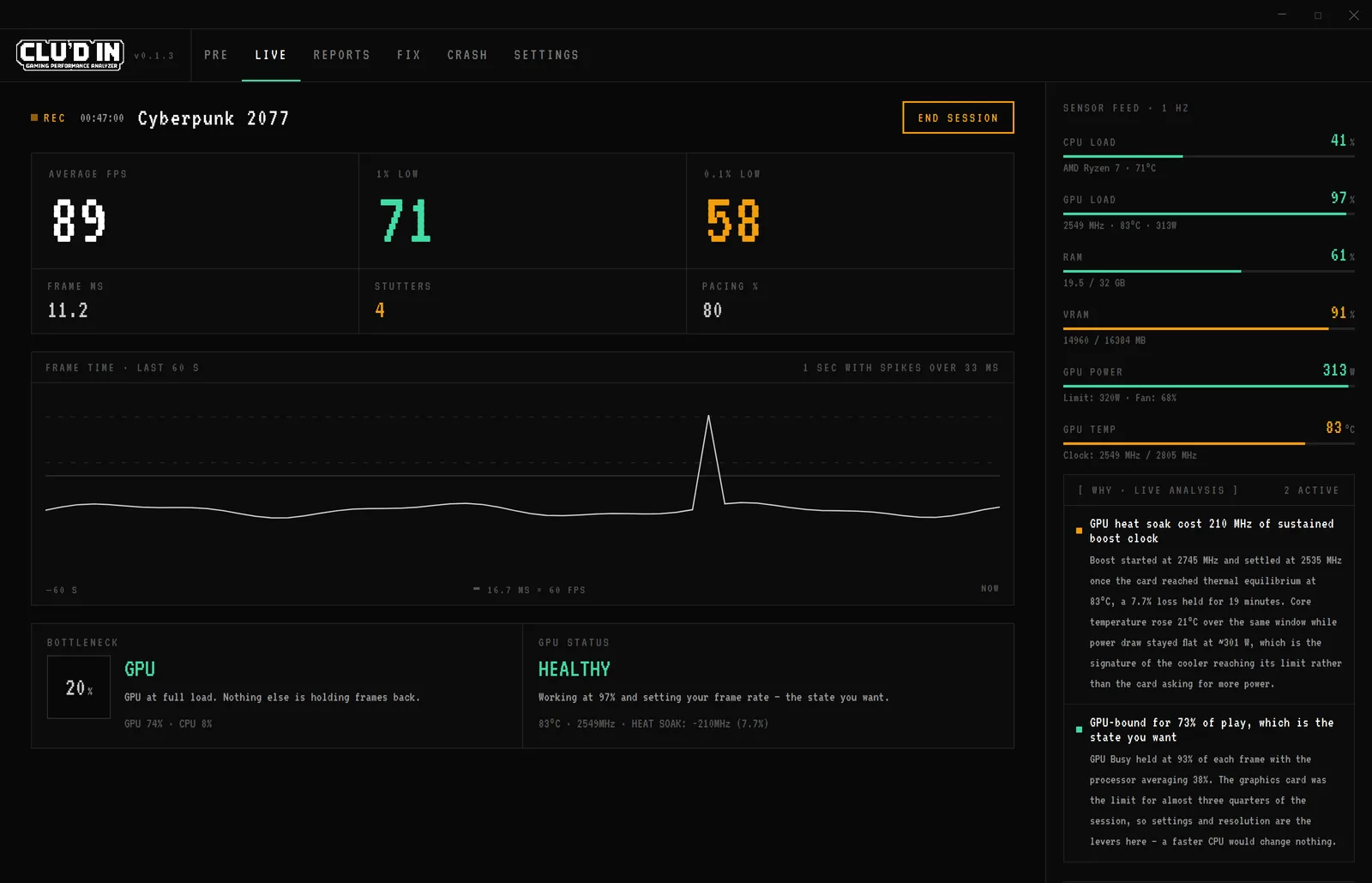
The real interface rendering a representative session with staged data.
Low FPS without hitching is a different problem; see finding your actual bottleneck. And if the game exits instead of stuttering: diagnosing game crashes.