
A game that vanishes to desktop usually leaves no dialog and no explanation. Windows still wrote records of it, in several places, and checking them takes less time than reinstalling drivers and verifying game files on spec. Before touching anything, work out which of the three crash shapes you have. They have different suspect lists.
> The three shapes of a crash_
Crash to desktop: the game dies, Windows keeps running. Usual suspects are the game itself, the GPU driver, or unstable memory. Hard reboot, or black screen with the fans still spinning: the whole machine went down, which makes it hardware territory, most often power delivery. Verifying game files won't help here. Freeze that needs a hard reset: sits in between, commonly driver or memory. The same game can produce all three shapes from different causes.
> Read what Windows already wrote down_
Start with Reliability Monitor: press Win+R, run perfmon /rel, and you get a timeline of every application failure and Windows error for the last weeks. A red X on your game at each crash time confirms Windows saw it. Look for a LiveKernelEvent 141 near your crash times: that's a GPU that stopped responding and recovered without a blue screen. On current hardware it's the record worth checking first.
Event Viewer (eventvwr.msc) holds the detail. Four IDs cover most gaming crashes:
| Event 1000, Application Error | The game itself faulted. Note the faulting module: the game's own .exe points at the game, a driver DLL points elsewhere. |
| Event 4101, Display | "Display driver stopped responding and has recovered": a TDR, the GPU driver reset. Points at driver, GPU stability or an overclock. |
| Event 41, Kernel-Power | The machine lost power or hard-locked without shutting down cleanly. After a mid-game reboot, this plus nothing else recorded points at the PSU or a hardware fault. |
| WHEA-Logger events | Hardware error reports from the CPU's own machinery. One caution: WHEA event 19 is a corrected error, meaning the hardware caught and fixed it. A flood of them is worth investigating; one is not a death sentence. |
> The usual suspects, in order_
The game. An unsatisfying answer, but if the crash follows one title while five others run clean, and that title's forum shows the same crash on wildly different hardware, no driver reinstall will fix it. Check before blaming your rig.
Memory running XMP/EXPO. Crashes spread across several games with varied error messages point at memory that passes a quick stress test but fails under real load. Turn the profile off for one evening and play. Synthetic tests can run clean for hours on RAM that still falls over in games, so an evening of actual play with the profile off answers more than another memtest pass. If it holds, tune the profile down instead of abandoning it.
The GPU driver, or the GPU pushed too far. TDRs (4101 / LiveKernelEvent 141) after a driver update point at the driver; a clean reinstall with DDU is the test. The same events on a factory-overclocked card that only crashes in the heaviest games sometimes mean the factory tune is marginal; 50 MHz off the core clock is a cheap experiment. Overheating VRAM produces the same events, so memory temperature in the minutes before a crash is worth a look too.
Power. Modern high-end GPUs pull sharp transient spikes well above their rated board power, and a PSU that looks fine on paper can sag during one and drop the machine. The pattern to recognise: full reboots under heavy load only, Kernel-Power 41 in the log, no blue screen, no fatal WHEA record.
> Having the flight recorder already running_
The manual method has one gap it can't close: whatever the sensors were doing in the minutes before the crash wasn't recorded anywhere. CLU'D IN keeps a rolling ten-minute black box of telemetry while you play. When a game dies it matches that against the Windows records above (Event Log entries, crash dumps, driver resets, WHEA history) and writes a verdict with the evidence listed, marked BEST GUESS when the evidence is weak. On anti-cheat protected games some records are unreadable, and the verdict notes which ones and why. It's Windows only and in alpha; access comes with the Patreon membership.
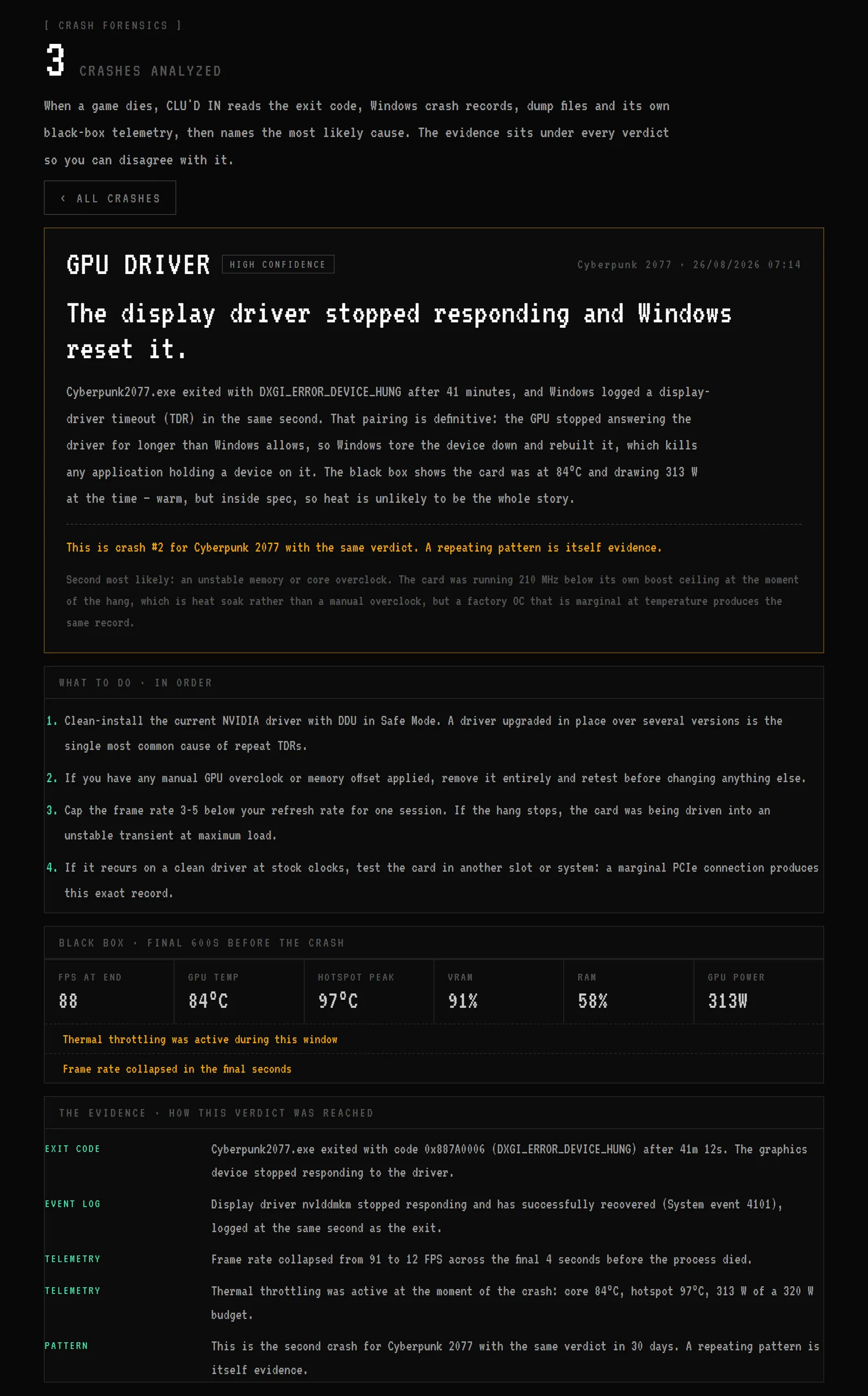
The real interface rendering a representative crash with staged data.
If the game runs badly rather than dying, that's a different investigation: why games stutter, or finding your actual bottleneck.