
The Lian Li 8.8″ ultrawide LCD ships with vendor software that covers the basics. If you want a fully custom layout on it instead, the trick is simple: Windows already sees the screen as a normal monitor, so any app that can go fullscreen on a chosen display can drive it. CLU VIEW does exactly that.
> The setup_
01 Connect the screen per Lian Li's instructions and confirm it shows up in Settings > System > Display as an extended display at its native ultrawide resolution.
02 Install CLU VIEW and set the canvas size to match that resolution, so nothing gets stretched.
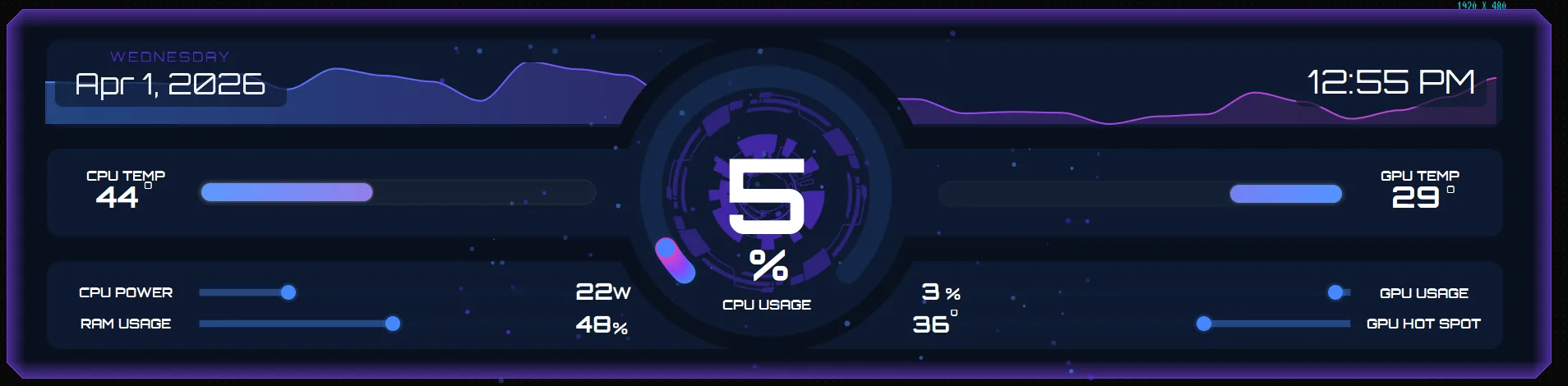
03 Build your layout, or open the built-in template store and import Split Flap (a free 1920×480 layout already sized for the panel), then swap the sensors to your hardware.
04 Switch to Panel Mode and select the Lian Li screen. The dashboard runs fullscreen and borderless on it.
> Designing for an ultrawide strip_
- ■Think in columns. The strip aspect ratio suits a row of gauges and bars rather than one big dial.
- ■Keep text sizes generous. The panel usually sits inside the case, further from your eyes than a monitor.
- ■Use the rules engine to make the panel react, like pulsing the CPU gauge red past 85°C, so a glance is enough.
Split Flap is free in CLU VIEW's built-in template store, no membership or account needed. If you want more ultrawide layouts, the current template packs list the available screen sizes and required CLU VIEW version before you download. The same approach works for other ultrawide secondary screens too.